
Best Second-Hand Laptop in Pune
Find the best second-hand laptops in Pune at affordable prices. Compare Dell, HP and Lenovo models, check specifications, battery health, SSD storage, warranty and expert buying tips.
By Virnobyte Team · · 13 min read

Best Second-Hand Laptop in Pune – Complete Buying Guide
Looking for an affordable second-hand laptop in Pune? Discover popular Dell, HP and Lenovo models, recommended specifications, price considerations, battery checks and expert tips to help you make a smart purchase.
Buying a laptop does not always mean spending ₹40,000, ₹50,000 or more on a brand-new device. A good second-hand laptop can be an affordable option for students, working professionals, freelancers, small businesses and home users.
Pune has a large market for used and refurbished computers. Whether you are searching around Chikhali, Moshi, Bhosari, Pimpri-Chinchwad, Wakad or other parts of the city, you may find laptops from popular brands such as Dell, HP and Lenovo at different prices.
However, choosing a second-hand laptop requires more attention than buying a new one. You need to check the processor, RAM, SSD, battery condition, display, keyboard, ports and seller's warranty policy.
In this article, we explain how to find the best second-hand laptop in Pune, which models are worth considering and what to inspect before making payment.
A carefully selected second-hand laptop can be a practical choice for everyday computing.
Why Buy a Second-Hand Laptop in Pune?
A second-hand laptop can help you save money while still providing the features needed for everyday computing. Many previously owned business laptops were designed for office environments and may offer good build quality and practical connectivity.
- Affordable prices: Used laptops generally cost less than comparable new models.
- More choices: You can compare different processor generations, brands and configurations.
- Business-class options: Dell Latitude, HP EliteBook and Lenovo ThinkPad models are commonly worth exploring.
- Suitable for students: A suitable laptop can handle assignments, online classes and research.
- Useful for office work: Many models can run office applications, accounting software and web-based tools.
- Upgrade possibilities: Some laptops support RAM and SSD upgrades, depending on the model.
Second-Hand vs Refurbished Laptop: What Is the Difference?
These terms are often used interchangeably, but they do not always mean the same thing.
| Feature | Second-Hand Laptop | Refurbished Laptop |
|---|---|---|
| Previous ownership | Previously owned or used | Previously owned or used |
| Inspection | May or may not have been professionally tested | Usually inspected or tested before resale, depending on seller |
| Repairs | May be sold without repairs | May have been cleaned, repaired or had parts replaced |
| Warranty | Not always included | Depends on the refurbisher and written terms |
| Price | Can be lower | May be higher because of testing or refurbishment |
Always ask the seller what work was performed on the laptop. The word "refurbished" alone does not guarantee a particular inspection standard or warranty.
Best Second-Hand Laptop Brands to Consider
Dell, HP and Lenovo are popular choices in the used business laptop market. Rather than choosing only by brand, compare the exact model, processor generation, specifications and physical condition.
1. Dell Latitude – Good for Office and Business Use

Dell Latitude laptops are designed for professional and business environments. They are worth considering if you need a laptop for office applications, accounting, browsing, online meetings and general productivity.
Some models to explore include:
- Dell Latitude 5480: An older business laptop that may suit basic tasks when available in good condition.
- Dell Latitude 5490: A business model worth comparing for office and study use.
- Dell Latitude 5400: Look for suitable 8th or 9th Generation processor configurations.
- Dell Latitude 5410: A useful option to compare for everyday professional work.
- Dell Latitude 5420: An 11th Generation option to consider if your budget allows.
Best for: Office employees, students, accountants, small business owners and professionals.
2. HP EliteBook and ProBook – Good for Professional Use
HP EliteBook and ProBook laptops are business-oriented models that can be suitable for professional work. Depending on the configuration, they may offer comfortable keyboards, useful connectivity and practical designs.
Models worth comparing include:
- HP EliteBook 840 G5: An older business laptop suitable for basic productivity if properly inspected.
- HP EliteBook 840 G6: A model to consider for office applications and everyday work.
- HP EliteBook 840 G7: A newer option compared with earlier generations.
- HP ProBook 440 G6: A business laptop worth checking for general use.
- HP ProBook 440 G8: A later-generation option to compare if available within budget.
Best for: Office work, online meetings, students, business applications and regular productivity.
3. Lenovo ThinkPad – Good for Typing and Programming
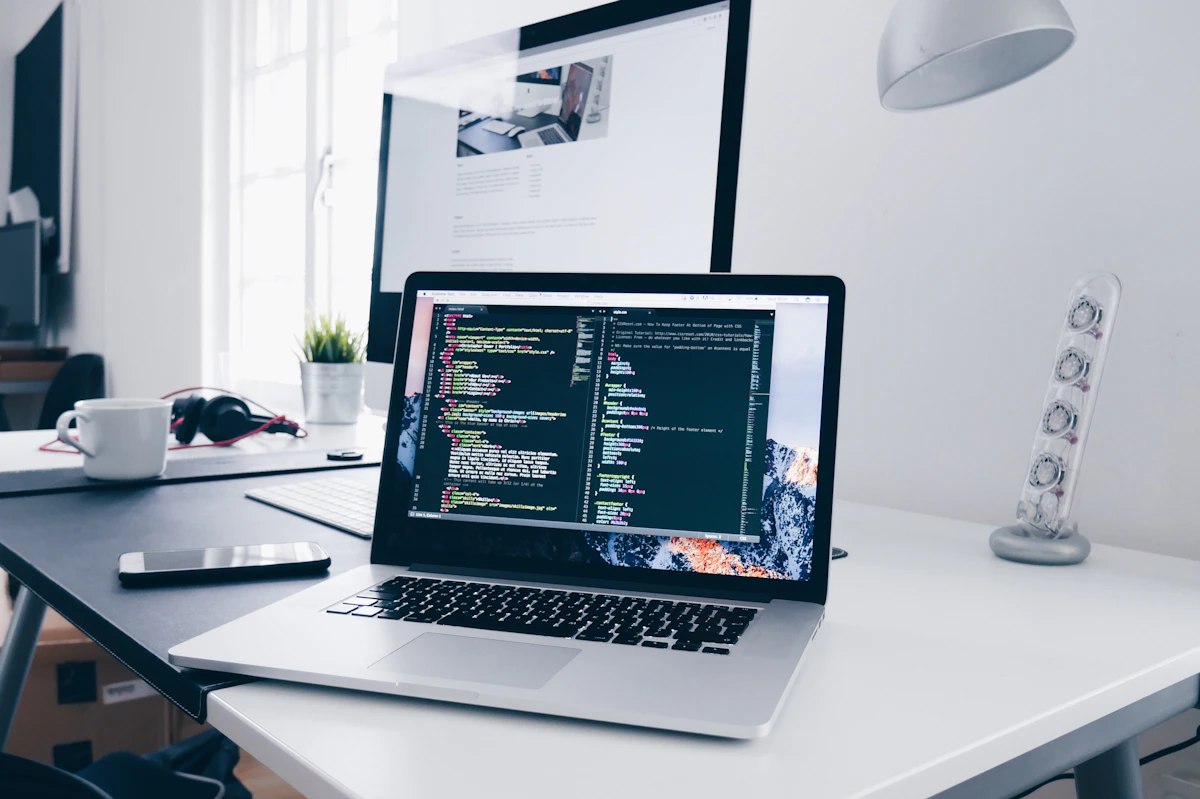
Lenovo ThinkPad laptops are popular among professionals and programmers, particularly because of their keyboard design and business-focused features.
Some models worth exploring include:
- Lenovo ThinkPad T470: An older model for basic tasks when the condition and price are suitable.
- Lenovo ThinkPad T480: A popular business laptop to consider for office work and study.
- Lenovo ThinkPad T490: A newer option with different processor and memory configurations.
- Lenovo ThinkPad T14: A more recent business laptop worth comparing.
- Lenovo ThinkPad X series: Compact business laptops that may suit users who travel frequently.
Best for: Programming, documentation, office applications, students and professionals who type frequently.
Which Second-Hand Laptop Should You Buy Based on Your Budget?
The following table provides broad planning ranges for the used and refurbished laptop market. Actual prices in Pune vary according to model, processor generation, condition, RAM, SSD capacity, battery health and warranty.
| Budget | What You May Find | Suitable For |
|---|---|---|
| ₹8,000–₹12,000 | Older Core i3/i5 business laptops, usually with basic configurations | Basic browsing and documents |
| ₹12,000–₹18,000 | Selected Core i5 business laptops with SSD and 8GB RAM | Students and everyday office work |
| ₹18,000–₹25,000 | Some 8th–10th Generation business laptop configurations | Office work and multitasking |
| ₹25,000–₹35,000 | Selected newer Latitude, EliteBook and ThinkPad models | Professional productivity and programming |
| ₹35,000–₹45,000 | Higher configurations and some newer business laptops | Advanced productivity and demanding workloads |
Note: These are indicative shopping ranges, not fixed Pune market rates or Virnobyte quotations. Check current listings and compare the exact device before buying.
Recommended Specifications for a Second-Hand Laptop
Before selecting a laptop, decide what you will use it for. A student who mainly attends online classes may not need the same specifications as a developer or graphic designer.
Processor
For general Windows use, consider a suitable Intel Core i5 or AMD Ryzen 5 processor. Check the complete processor model and generation. A Core i7 label by itself does not guarantee better performance than a newer Core i5.
RAM
8GB RAM is a practical starting point for basic work. If you regularly use multiple applications, browser tabs or development tools, 16GB RAM is preferable. Check whether the memory is upgradeable.
SSD Storage
Choose an SSD rather than relying on an old mechanical hard drive as the primary drive. A 256GB SSD is a useful starting point, while 512GB offers more storage space for software and files.
Display
A Full HD display (1920 × 1080) is a good choice for office work, online classes and general productivity. Check the screen for dead pixels, lines, flickering, pressure marks and uneven brightness.
Battery
Battery condition is especially important when buying a used laptop. Ask for the battery health report and check how long the laptop operates without its charger. Battery replacement may add to the overall purchase cost.
Where to Find Second-Hand Laptops in Pune?
You can explore second-hand and refurbished laptop options through local computer shops, online marketplaces and specialised refurbished laptop sellers. Compare multiple sellers before making a decision.
Some Pune areas where buyers may explore computer shops and listings include:
- Chikhali: Explore local computer and laptop sellers around the Chikhali area.
- Moshi: Compare available laptops and computer dealers around Moshi.
- Bhosari: Explore computer retailers and IT hardware businesses.
- Pimpri-Chinchwad: Compare different laptop sellers and refurbished computer options.
- Wakad: Check available laptop retailers and online local listings.
- Shivajinagar: Explore computer shops and laptop sellers in central Pune.
How to Check a Second-Hand Laptop Before Buying
Never purchase a used laptop based only on its appearance or advertised specifications. Inspect the actual device and test the important components.
1. Check Processor and RAM
On Windows, open Settings and navigate to System → About to check the processor and installed RAM. You can also use Task Manager to inspect system information.
2. Check Battery Health
Windows can generate a battery report. Open Command Prompt and enter:
powercfg /batteryreportOpen the generated report and compare the battery's Design Capacity with its Full Charge Capacity. A large difference indicates battery wear.
3. Check SSD Health
Use a trusted SMART monitoring tool, such as CrystalDiskInfo, to inspect the SSD's health status and warning indicators. If the drive reports errors or a caution status, ask the seller to investigate or replace it before purchase.
4. Test the Display
- Check for dead pixels and coloured lines.
- Look for flickering or brightness problems.
- Test the screen at different brightness levels.
- Open white and black backgrounds to spot display defects.
5. Test Keyboard and Touchpad
Open Notepad and test every keyboard key. Check the touchpad, scrolling, clicking and gestures.
6. Check All Ports
Test USB ports, HDMI, audio jack, charging port and USB-C connectivity where available. Also check Wi-Fi, Bluetooth, webcam, microphone and speakers.
7. Inspect the Laptop Body
Look carefully at the hinges, display frame, keyboard, bottom panel and screws. Cracks, loose hinges or signs of liquid damage may indicate previous physical problems.
8. Check BIOS and Ownership Locks
Confirm that there is no unknown BIOS administrator password, company management lock or device enrolment restriction. For a MacBook, verify that the previous owner's Apple Account and Activation Lock have been removed.
9. Check Windows Activation and Compatibility
Confirm that Windows is activated and that the laptop meets the official requirements of the operating system you intend to use. Windows 10 standard support ended on 14 October 2025. Check Windows 11 processor and TPM compatibility rather than assuming that every older laptop can officially run it.
10. Ask for an Invoice and Written Warranty
Ask for a proper purchase invoice and written details of any warranty or return policy. Confirm the coverage period, exclusions and the process for service or replacement.

Second-Hand Laptop Buying Checklist
- Processor model and generation verified
- RAM capacity checked
- SSD capacity and health checked
- Battery report reviewed
- Display tested
- Keyboard and touchpad tested
- USB and other ports tested
- Wi-Fi, Bluetooth and webcam tested
- Charger checked
- Hinges and body inspected
- BIOS and ownership locks checked
- Operating system activation verified
- Invoice and warranty terms confirmed
Second-Hand Laptop vs New Laptop: Which Is Better?
Both options have advantages. Your decision should depend on your budget, usage and expectations.
| Factor | Second-Hand Laptop | New Laptop |
|---|---|---|
| Purchase cost | Usually lower | Usually higher for comparable premium models |
| Battery | Previously used; inspect health | New battery |
| Physical condition | May show signs of use | Brand new |
| Warranty | Depends on seller | Usually manufacturer warranty |
| Model choices | Includes older business-class models | Current retail models |
| Best suited for | Budget-conscious buyers | Buyers who prefer a new device |
Common Mistakes to Avoid When Buying a Used Laptop
- Buying only because of a low price: Always inspect the laptop and compare its condition with similar models.
- Ignoring processor generation: Check the full processor model instead of only i3, i5 or i7.
- Ignoring battery health: A replacement battery can increase your total cost.
- Buying a laptop with an HDD only: Consider an SSD upgrade if the device supports it.
- Not checking the display: Screen replacement can be expensive depending on the model.
- Ignoring warranty conditions: Get all promises in writing.
- Not checking Windows compatibility: Confirm official operating system support.
- Paying before testing: Inspect the exact laptop and verify its serial number and invoice details.
Is a Second-Hand Laptop Suitable for Students and Businesses?
Yes, a properly inspected second-hand laptop can be useful for many different users.
For Students
- Online classes and video lectures
- Assignments and presentations
- Internet browsing and research
- Programming fundamentals
- Document creation and project work
For Office Employees
- MS Office and email
- Accounting and billing software
- Online meetings
- Business applications
- Data entry and documentation
For Small Businesses
- Billing and inventory management
- Business email and communication
- Customer relationship management software
- Office documentation
- Basic administration and reporting
For professional design, video editing, CAD, 3D rendering or other demanding applications, check the software's hardware requirements. A basic second-hand office laptop may not be suitable for these workloads.
Frequently Asked Questions (FAQs)
1. Which is the best second-hand laptop brand in Pune?
Dell, HP and Lenovo are popular choices. Dell Latitude, HP EliteBook and Lenovo ThinkPad models are worth comparing for business and professional use. The best choice depends on the exact configuration and condition.
2. What is the price of a second-hand laptop in Pune?
Prices vary according to the processor, RAM, SSD, battery health, model and seller. Basic used laptops may be available at lower budgets, while newer business-class configurations generally cost more. Check current local listings for actual prices.
3. Is it safe to buy a second-hand laptop?
It can be safe if you inspect the device, verify its ownership and operating system status, obtain an invoice and understand the seller's return and warranty terms. Avoid paying without testing the laptop.
4. Should I buy a second-hand laptop with an i5 processor?
A Core i5 laptop can be a good choice, but check its exact generation and processor model. Also consider RAM, SSD, battery health and your intended workload.
5. Is 8GB RAM enough for a used laptop?
8GB RAM is sufficient for many basic tasks, such as browsing, documents and online classes. For multitasking and professional applications, 16GB RAM is preferable.
6. Do second-hand laptops come with a warranty?
Some sellers provide a limited warranty, while others sell laptops without warranty. Always ask for the duration, coverage, exclusions and claim process in writing.
7. Can I upgrade a second-hand laptop?
Many laptops support SSD upgrades, and some support RAM upgrades. However, upgrade options depend on the exact model. Check before purchasing.
8. Where can I buy a second-hand laptop near Chikhali, Pune?
You can explore local computer shops and laptop sellers in and around Chikhali, Moshi, Bhosari and Pimpri-Chinchwad. Compare the device condition, specifications, invoice and warranty before choosing a seller.
Conclusion: Choose the Right Second-Hand Laptop in Pune
Buying a second-hand laptop in Pune can be a smart way to save money while getting a computer for study, office work or business requirements. Dell Latitude, HP EliteBook and Lenovo ThinkPad models are useful starting points when comparing business laptops.
However, the model name alone should not decide your purchase. Check the processor generation, RAM, SSD health, battery condition, display, keyboard, ports and operating system compatibility. Always request an invoice and written warranty details.
Take time to compare different sellers in Pune and choose a laptop that matches your actual requirements and budget.
Looking for a Second-Hand Laptop in Pune?
Virnobyte Pvt. Ltd. provides computer-related services, laptop and desktop repair, hardware upgrades, refurbished and new laptop enquiries, networking and IT support.
Contact us to enquire about currently available second-hand or refurbished laptop models, specifications, prices and applicable warranty terms.
Virnobyte Pvt. Ltd.
Technology • Innovation • Trust
Address: Sadichha Complex, Sawtamali Temple Road, Jadhavwadi, Chikhali, Pune – 411062, Maharashtra
Phone: 8669883332
Email: info@virnobyte.com
Website: www.virnobyte.com
Contact Virnobyte to discuss your laptop requirements.